Overview
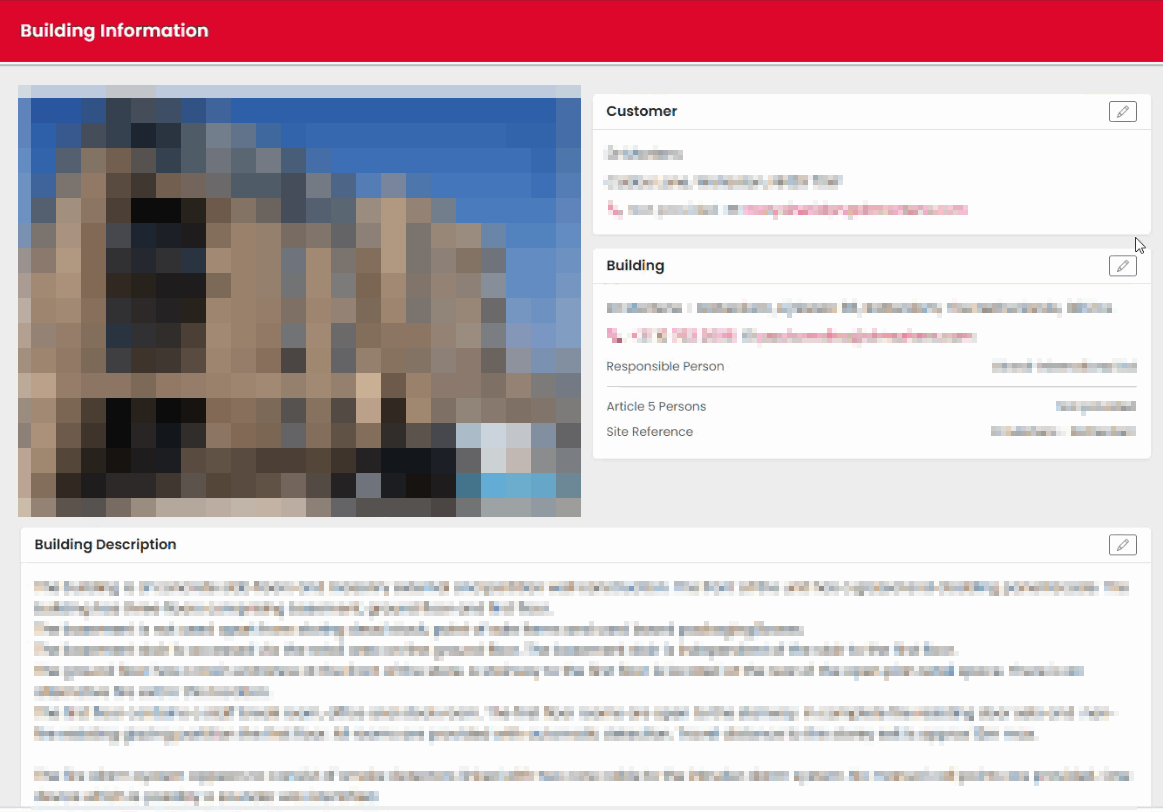
The Building Information section contains key details about the property being assessed. Before beginning the assessment, review this information and update any fields that are editable and require amendment. Information carried forward from previous assessments may already be populated.
Opening Building Information
- Open the assessment.
- Select Building Information from the assessment overview screen.
- Review the information displayed.
Updating the Building Photograph
The building photograph is displayed within the Building Information section.
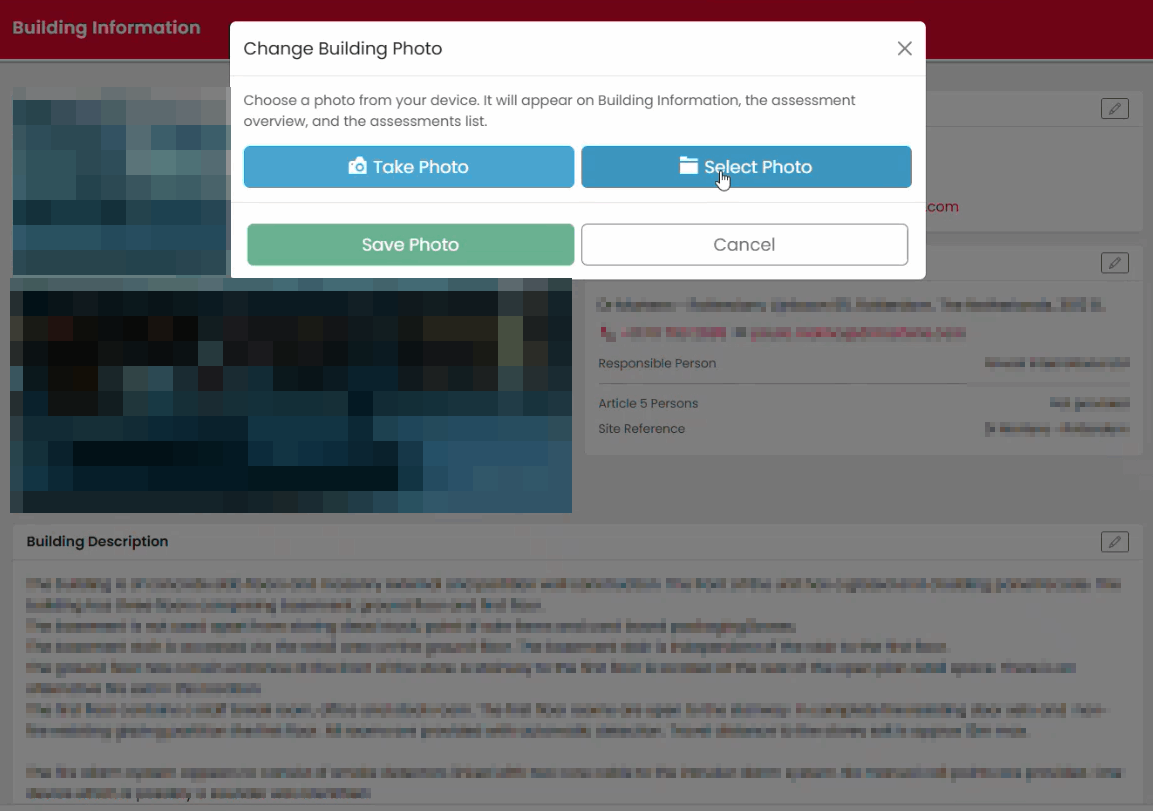
To update the photograph:
- Select Change Photo.
- Browse to the image stored on your device.
- Select the required image.
- Confirm the upload.
The new image will replace the existing building photograph.
Editing Contact Information
Some fields can be updated directly within the assessment.
Typical editable information may include:
- Contact telephone number
- Contact email address
- Responsible person details
Fields that are not editable will appear locked or unavailable for editing.
Updating the Building Description
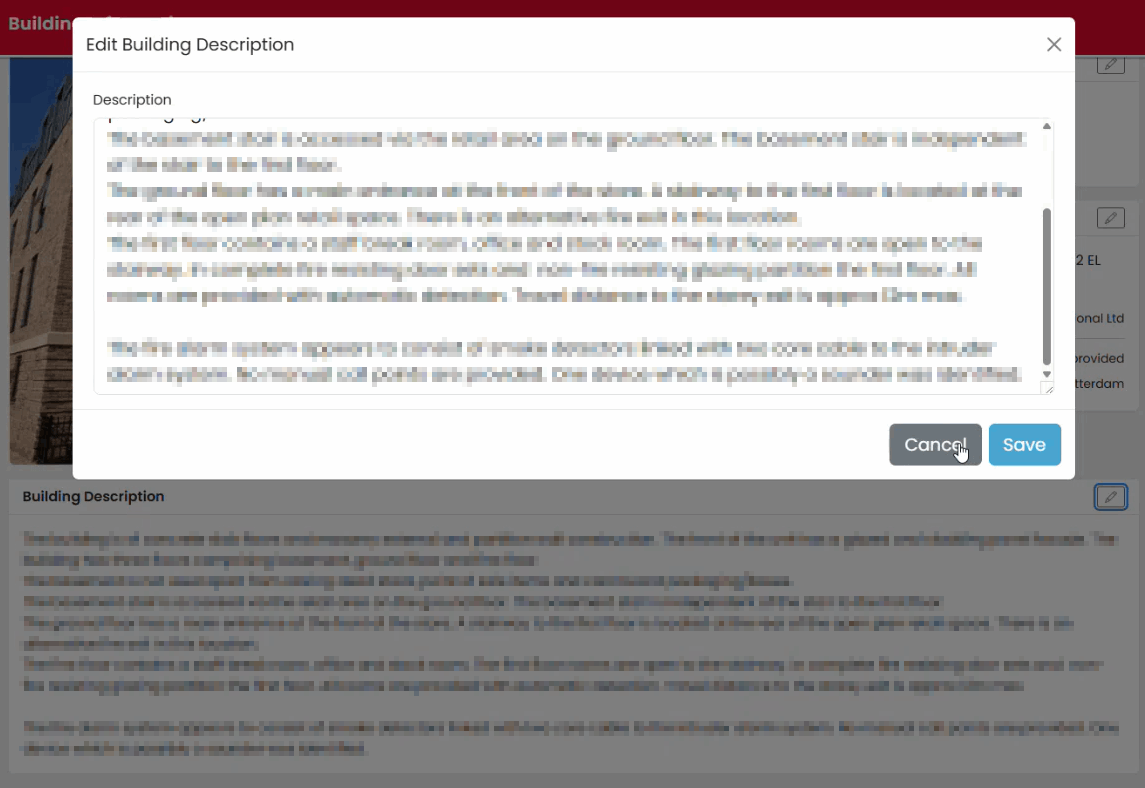
The Building Description provides an overview of the premises being assessed.
To update the description:
- Open the Building Description section.
- Select Edit.
- Update the information as required.
- Save your changes.
Finishing the Section
Once all information has been reviewed:
- Verify any amendments.
- Select Finish to return to the assessment overview.
Tips
- Review pre-populated information before starting the site inspection.
- Update information only where changes are required.
- Ensure the building photograph clearly identifies the property.
Was this article helpful?
That’s Great!
Thank you for your feedback
Sorry! We couldn't be helpful
Thank you for your feedback
Feedback sent
We appreciate your effort and will try to fix the article