Overview
After downloading an assessment, open it to begin recording information.
The assessment workspace is organised into clearly defined sections that guide you through the assessment process from initial information gathering through to final sign-off.
Opening an Assessment
- Locate the assessment in your assessment list.
- Select Open Assessment.
- The assessment overview screen opens.
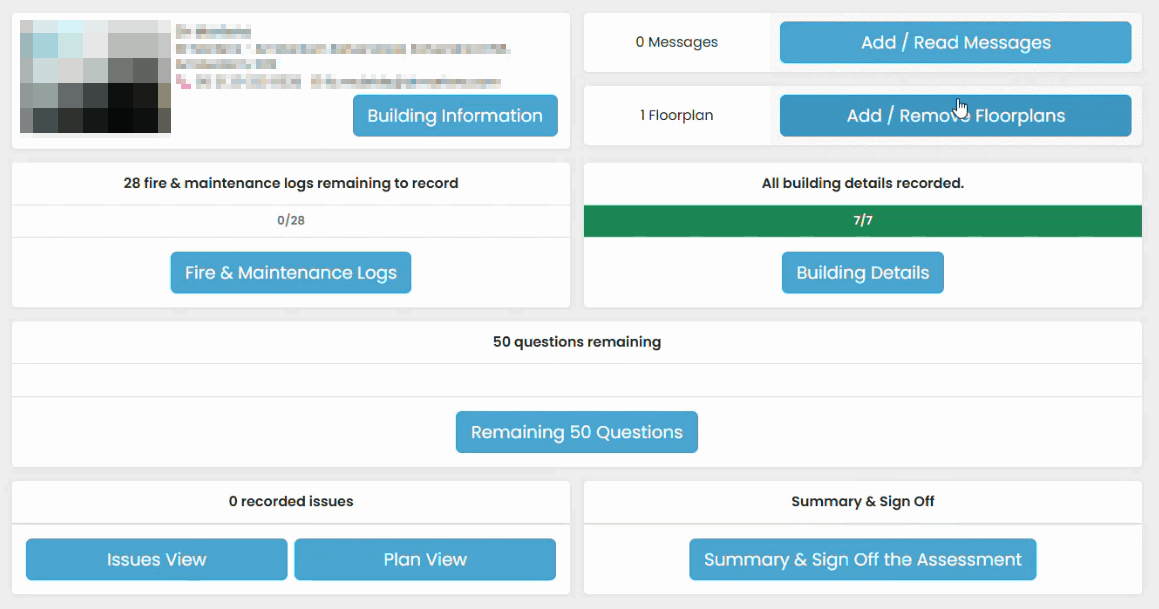
Assessment Overview Screen
The overview screen provides access to all assessment areas, including:
- Building Information
- Messages
- Plans
- Logbook
- Building Details
- Remaining Questions
- Issues View
- Plan View
- Summary & Sign Off
Each section can be completed independently and revisited at any time before sign-off.
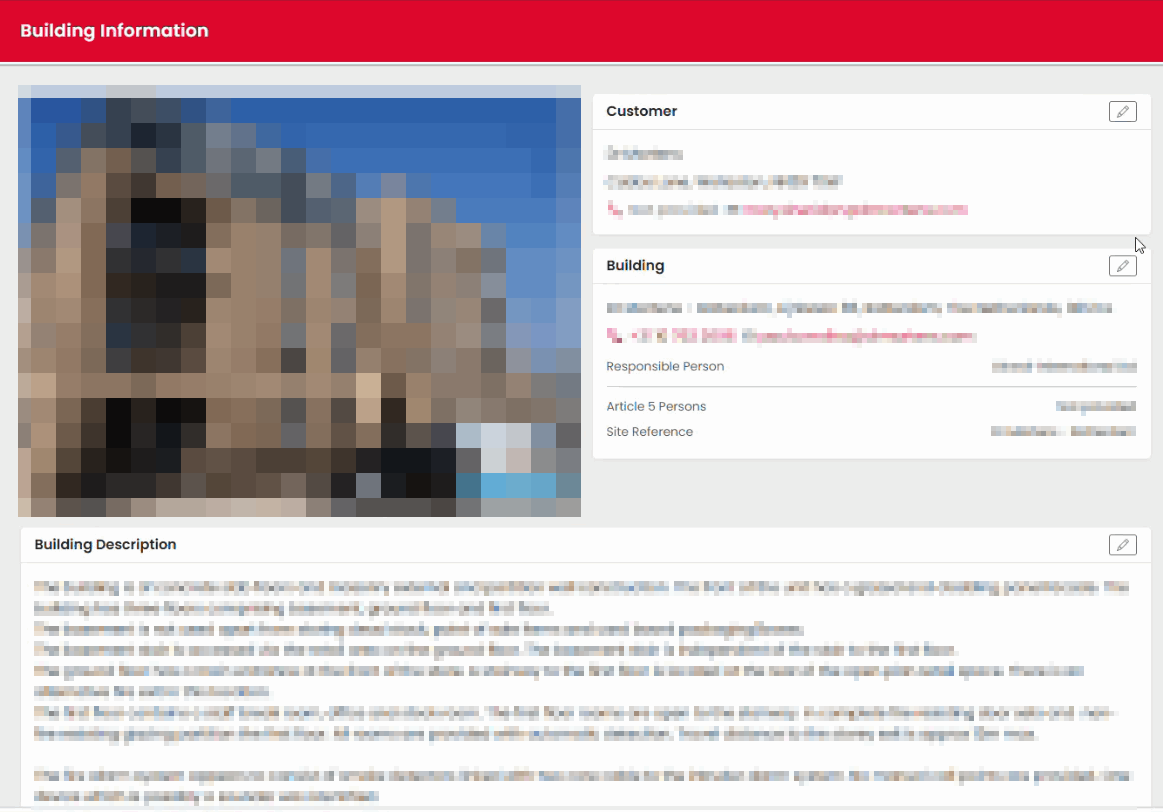
Building Information
The Building Information section contains assessment details and allows authorised fields to be updated.
Functions include:
- Viewing assessment details.
- Updating contact information where permitted.
- Updating the building photograph.
- Editing the building description.
Logbook
The Logbook section is used to record evidence gathered from:
- Maintenance records
- Fire safety documentation
- Inspection records
- Management information
Completion progress is displayed as information is recorded.
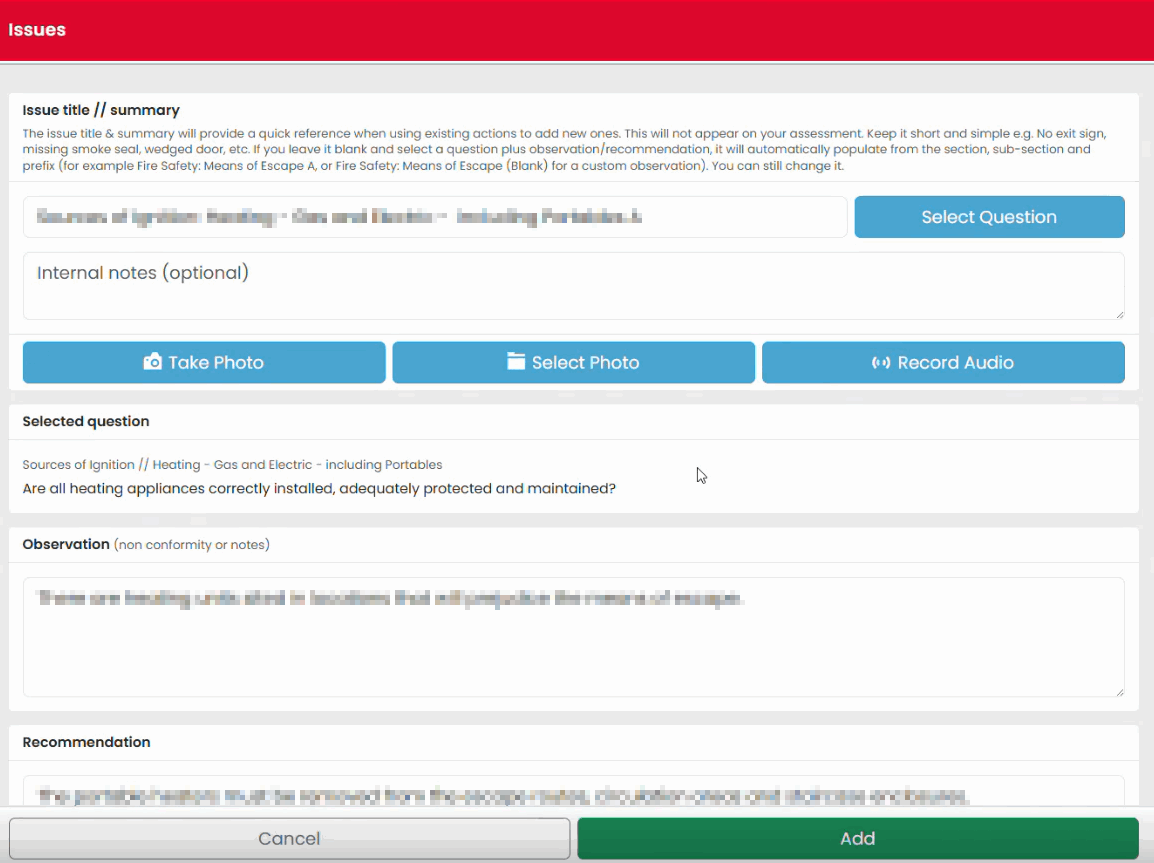
Issues View
Issues View provides a consolidated view of observations and actions raised during the assessment.
From here you can:
- Create new issues.
- Review observations.
- Update severity ratings.
- Review linked evidence.
Plan View
Plan View is used for recording location-based findings.
This area allows you to:
- Work with floor plans.
- Add location markers.
- Link issues to locations.
- Attach photographs and supporting information.
Remaining Questions
The Remaining Questions section helps identify outstanding items that still require completion before sign-off. Questions are automatically removed from the list as they are completed.
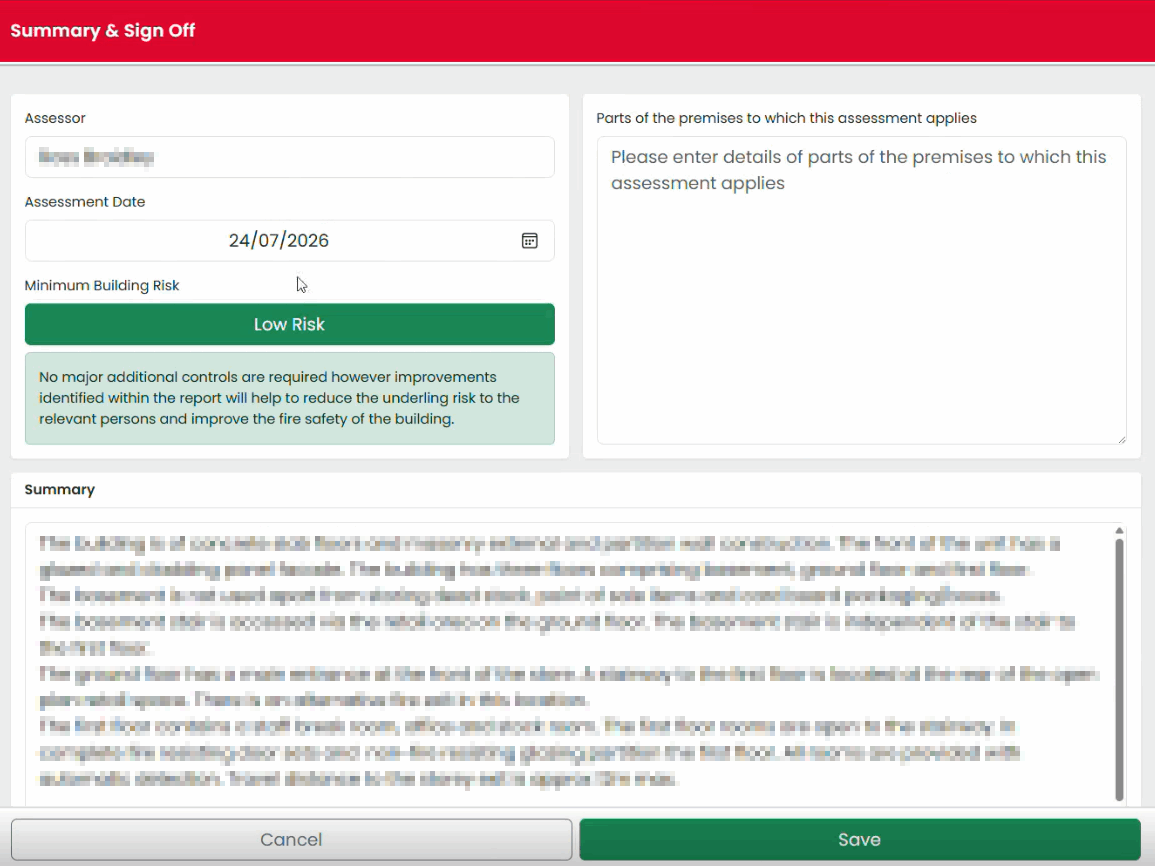
Summary & Sign Off
This section is used to:
- Review assessment findings.
- Check outstanding items.
- Complete declarations.
- Sign off the assessment.
Best Practice
Work through the assessment in a consistent order. A typical workflow is:
- Review Building Information.
- Complete Logbook information.
- Conduct the site walkaround.
- Record issues and actions.
- Review Remaining Questions.
- Complete Summary & Sign Off.
Was this article helpful?
That’s Great!
Thank you for your feedback
Sorry! We couldn't be helpful
Thank you for your feedback
Feedback sent
We appreciate your effort and will try to fix the article