The View Actions Across Multiple Sites feature allows you to see actions from more than one site at the same time. This is useful when managing actions across an estate, comparing outstanding actions, or reviewing actions due across multiple locations without having to switch between sites individually.
Open the All Actions Page
- From the top navigation menu, select All Actions.
- The All Actions page displays available actions and provides filtering options.
Select Multiple Sites
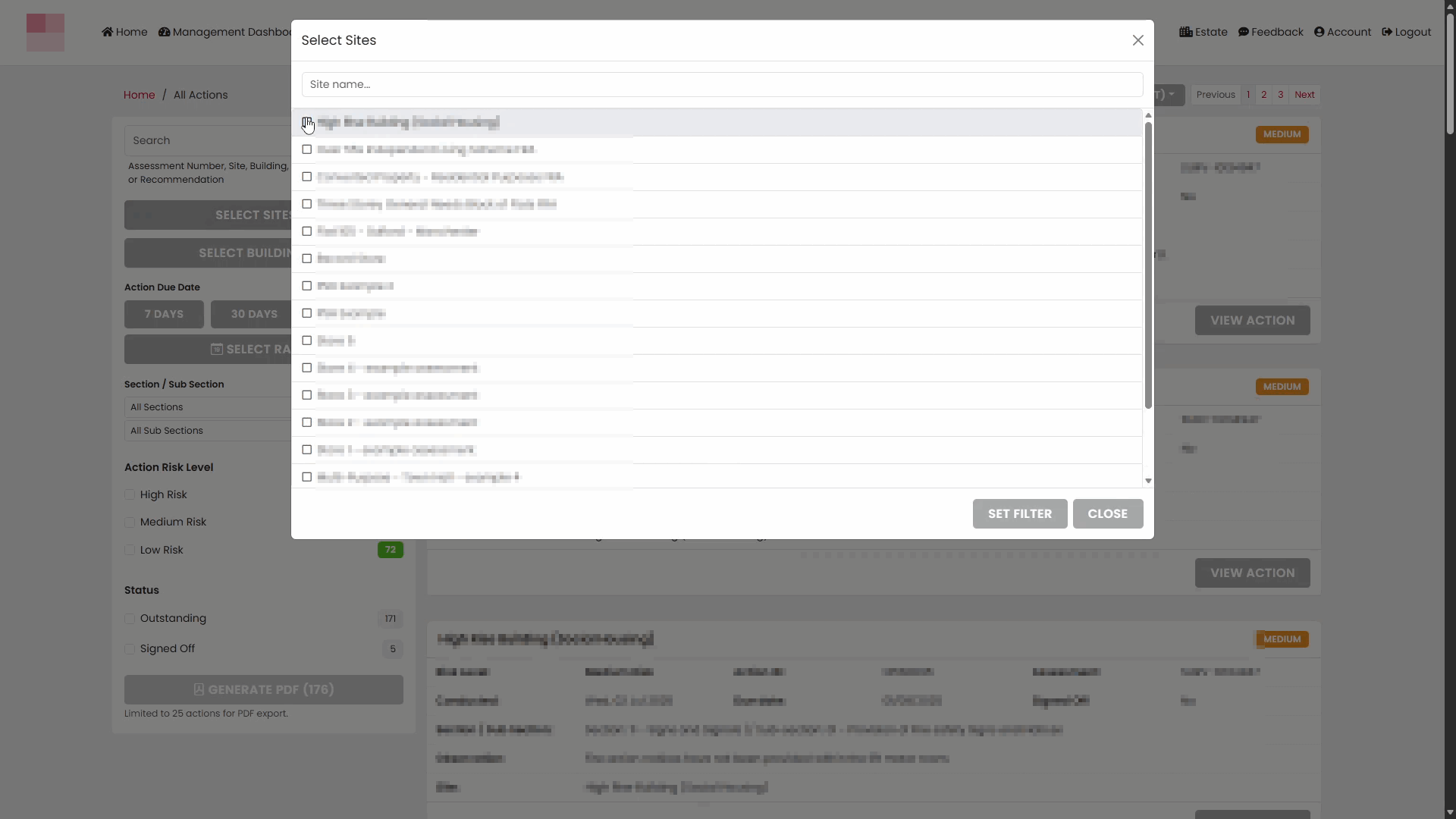
- Click SELECT SITES.
- A site selection window will open showing the sites available to you.
- Use the search box to find a specific site if required.
- Tick the sites you want to include.
- Click Set Filter to confirm your selection.
Confirm Selected Sites
After applying your selection:
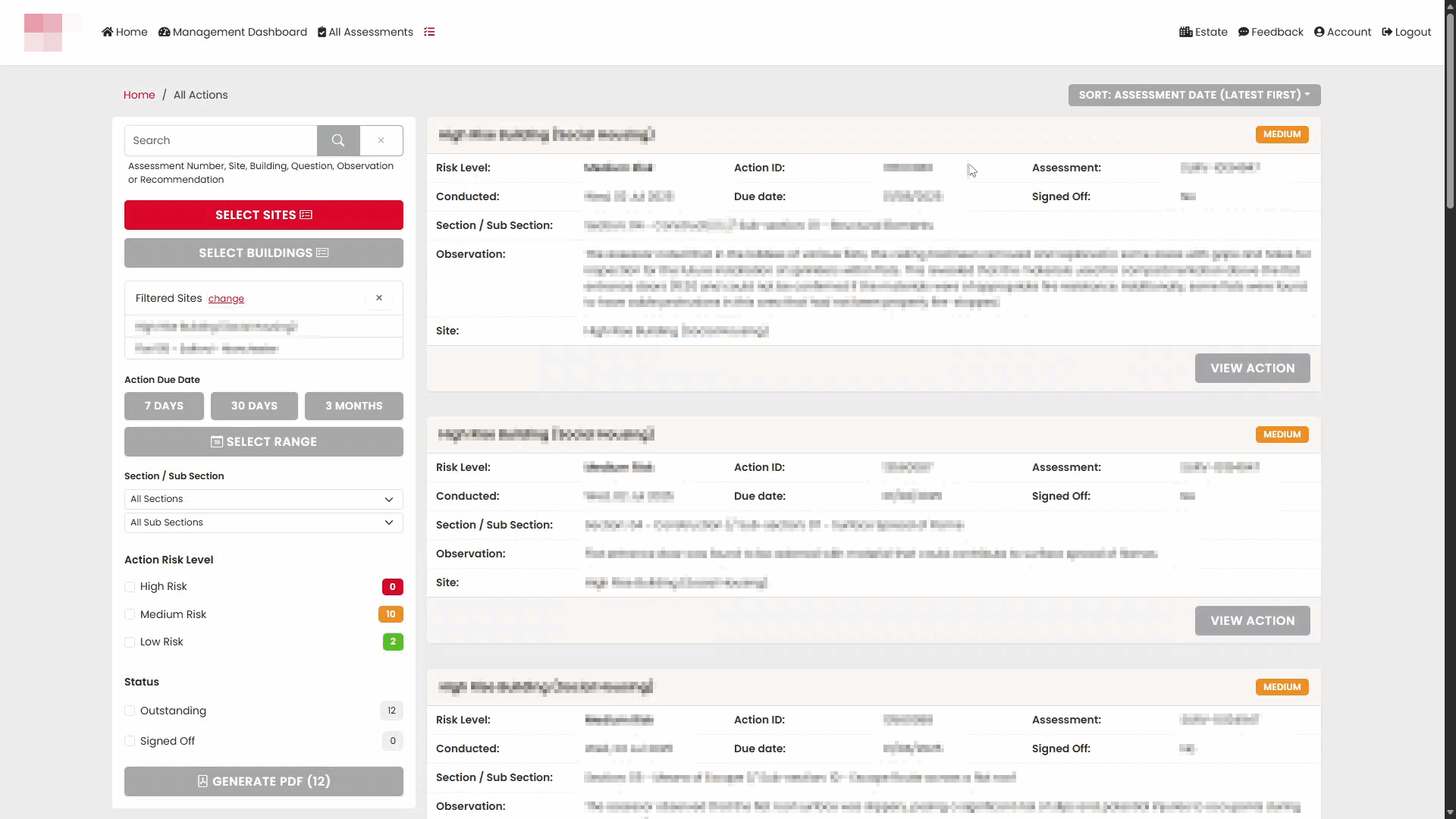
- The chosen sites appear in the Filtered Sites section on the left-hand side of the page.
- Actions from all selected sites are displayed together in the results list.
Review Actions from Multiple Sites
The action list shows information including:
- Site name
- Risk level
- Action ID
- Assessment reference
- Date conducted
- Due date
- Observation details
- Sign-off status
Each action card also includes a VIEW ACTION button for opening the full action record.
Use Additional Filters
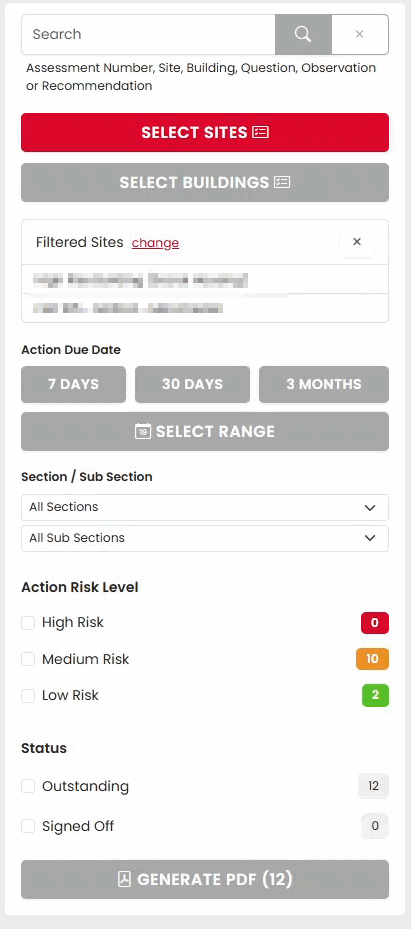
Once multiple sites have been selected, you can further refine the results using the filters on the left-hand side of the page.
Available filters include:
Action Due Date
Filter actions by due date using:
- 7 Days
- 30 Days
- 3 Months
- Custom date range
Section and Sub Section
Limit results to a specific assessment section or sub-section.
Action Risk Level
Filter actions by risk level:
- High Risk
- Medium Risk
- Low Risk
The coloured counters indicate how many actions are available within each category.
Status
Filter actions based on their current status:
- Outstanding
- Signed Off
Change the Selected Sites
To add or remove sites:
- Click change next to Filtered Sites.
- Update your site selection.
- Click Apply to refresh the action list.
View an Action
To view further details about a specific action:
- Locate the required action in the results list.
- Click VIEW ACTION.
The action record opens, allowing you to review the full details of the observation and any associated action information.
Generate a PDF Report
After filtering the action list, you can export the results by selecting GENERATE PDF.
The generated PDF contains the actions currently displayed based on your selected sites and filters.
Was this article helpful?
That’s Great!
Thank you for your feedback
Sorry! We couldn't be helpful
Thank you for your feedback
Feedback sent
We appreciate your effort and will try to fix the article