Overview
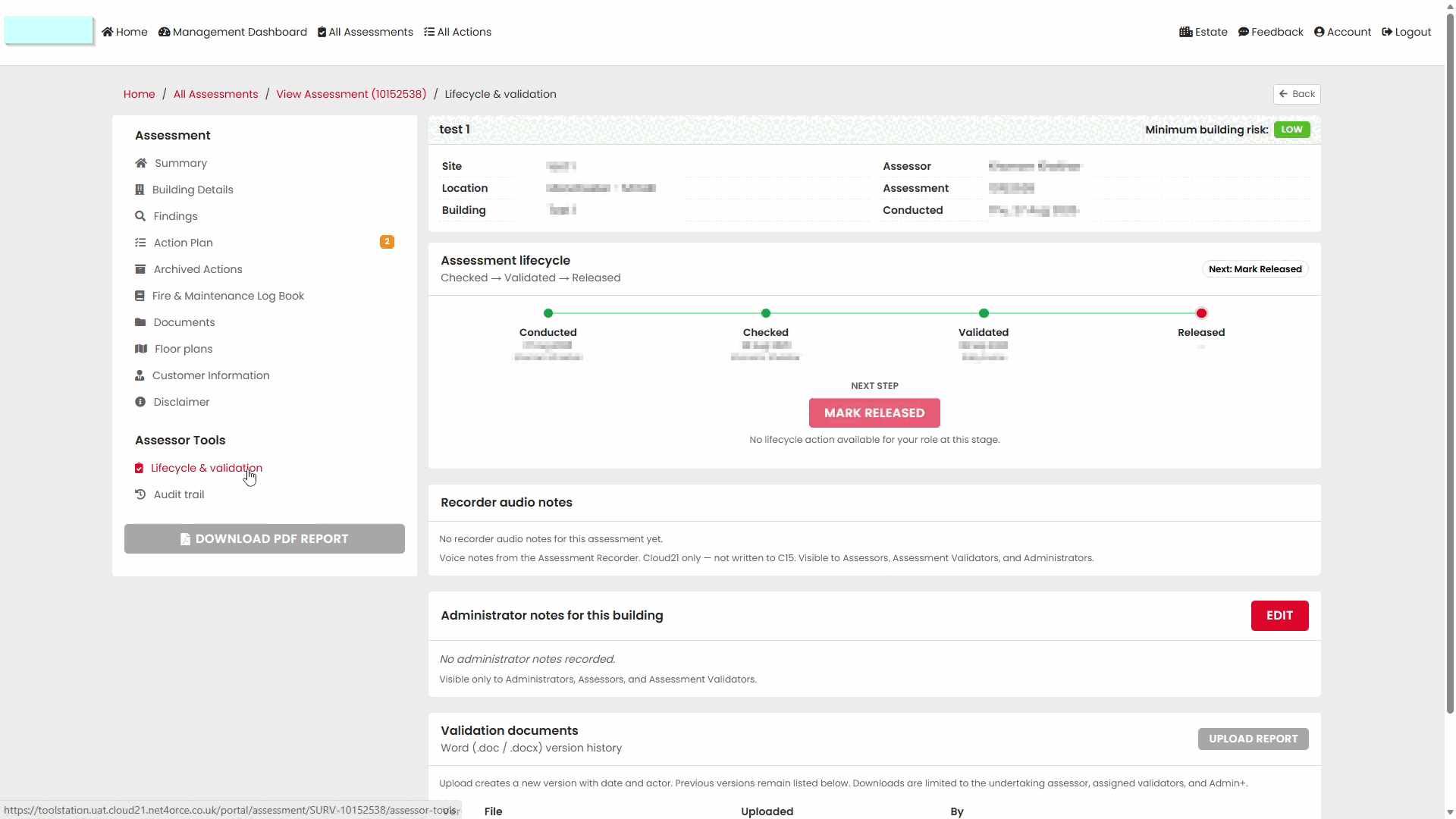
The Lifecycle & Validation area in the Portal provides additional information about an assessment after it has been completed and returned from the field.
This area allows users to review:
- Assessment lifecycle stages
- Validation progress
- Recorder audio notes
- Administrator notes
- Validation documents
Use this area when reviewing the processing history of an assessment or checking its validation progress.
Opening Lifecycle & Validation
- Open the assessment in the Portal.
- Select Lifecycle & Validation from the assessment menu.
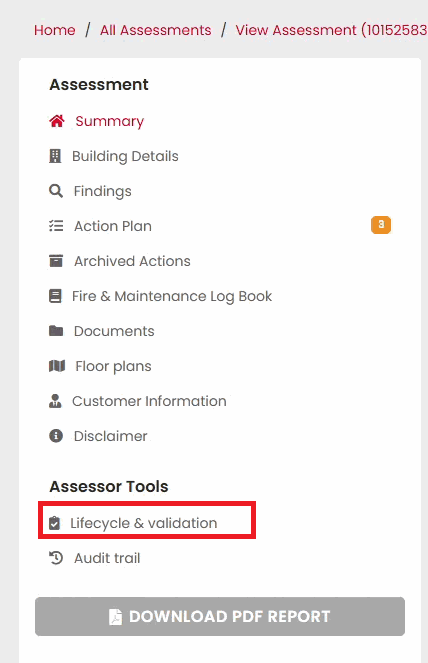
The Lifecycle & Validation page opens and displays information related to the assessment's progression through the workflow.
Understanding the Lifecycle Section
The Lifecycle section provides a summary of key stages completed during the assessment process.
The stages displayed may include:
- Conducted
- Checked
- Validated
- Released
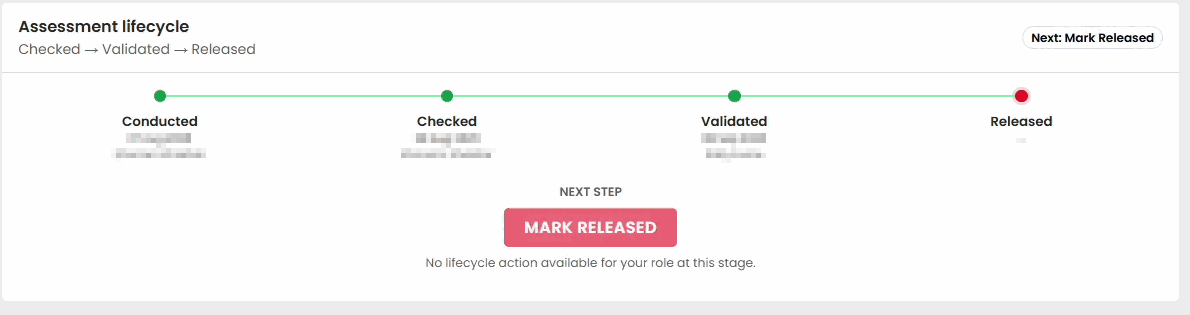
These milestones help users understand how far the assessment has progressed through the review and approval process.
Conducted
The Conducted stage indicates that the assessment has been completed by the assessor.
This confirms that assessment activity was carried out and submitted.
Checked
The Checked stage indicates that the assessment has progressed through an internal review stage.
This helps users identify that the assessment has been reviewed as part of the workflow.
Validated
The Validated stage confirms that assessment validation has been completed.
A validated assessment has successfully passed the validation process.
Released
The Released stage indicates that the assessment has reached the final stage of the workflow, and is visible to the Customer.
This normally represents the completion of the assessment process.
Reviewing Recorder Audio Notes
The Lifecycle & Validation page contains a Recorder Audio Notes section.

Where audio notes are available, they can be reviewed from this area.
Audio notes provide additional supporting information captured during the assessment process.
Reviewing Administrator Notes
The Administrator Notes section stores notes associated with the assessment.

This provides an area for recording and reviewing assessment-related information during processing and validation activities.
Reviewing Validation Documents
The Validation Documents section provides access to documents associated with validation activities.
This area can be used to review documentation linked to the assessment's validation process.
Reviewing Assessment Progress
The Lifecycle & Validation page provides a useful summary when investigating:
- Whether an assessment has been validated.
- Whether an assessment has been released.
- The current stage of processing.
- Supporting information associated with validation activities.
Reviewing this information can help answer questions relating to assessment progress and workflow history.
Tips
- Use Lifecycle & Validation when you need more detail than the status shown in Assessor Desk.
- Review lifecycle stages to understand where an assessment sits within the approval process.
- Check Recorder Audio Notes when additional context is required.
- Review Validation Documents when investigating validation activity.
- Compare lifecycle information with the assessment timeline where necessary.
Next Steps
Continue with:
Was this article helpful?
That’s Great!
Thank you for your feedback
Sorry! We couldn't be helpful
Thank you for your feedback
Feedback sent
We appreciate your effort and will try to fix the article