Overview
Before completing an assessment, all recorded issues should be reviewed to ensure observations, recommendations, locations, photographs and severity ratings are accurate and complete.
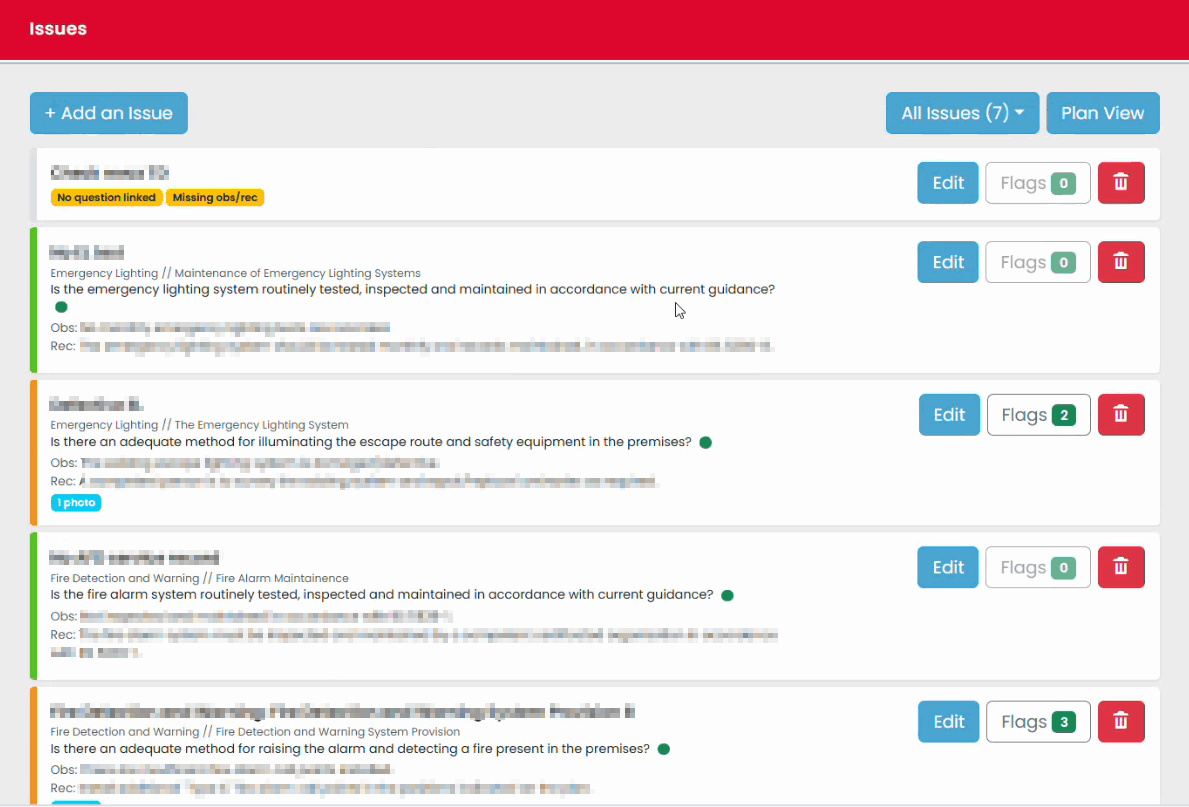
The Issues View provides a consolidated list of findings recorded throughout the assessment, including issues created directly in Issues View and those linked from Plan View.
Opening Issues View
- Open the assessment.
- Select Issues View.
- Review the list of recorded issues.
Reviewing Issue Details
Select an issue to view its details.
Review the following information:
- Observation
- Recommendation
- Severity rating
- Responsible party
- Linked locations
- Attached photographs
- Internal notes (where used)
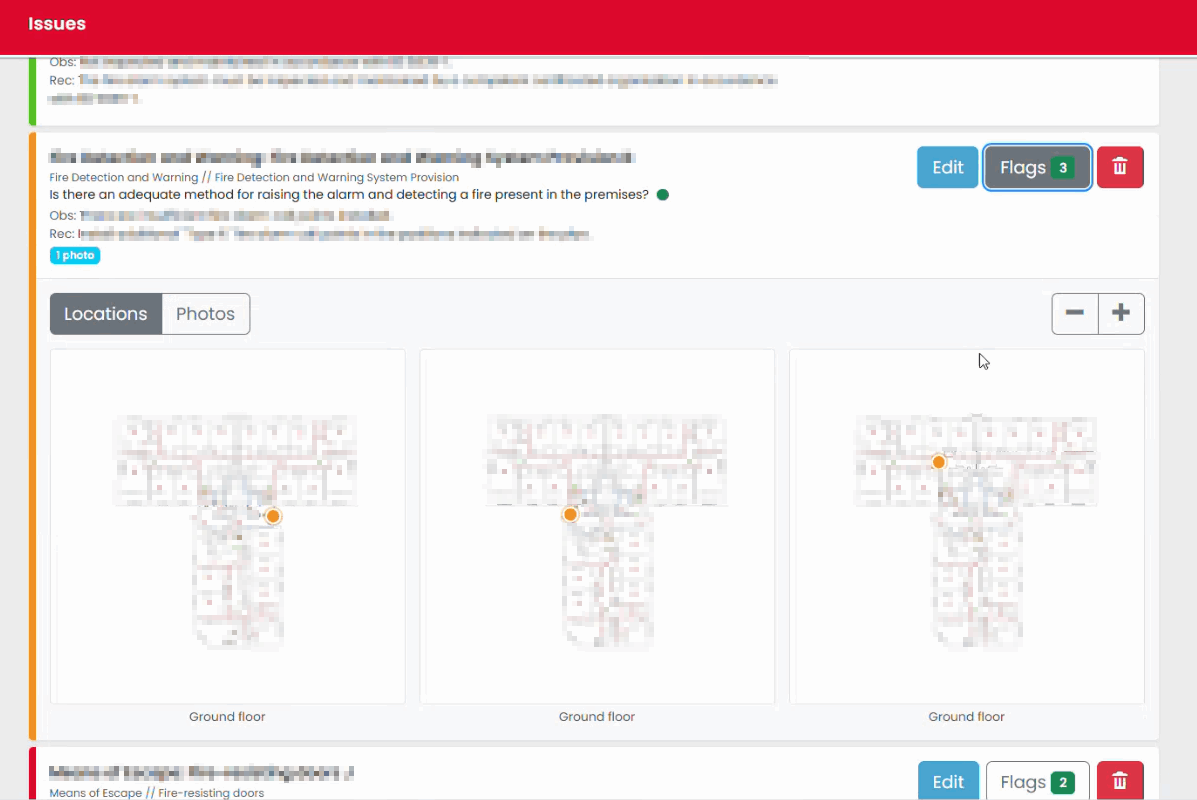
Reviewing Linked Locations
Where an issue has been recorded against a floor plan:
- Open the issue.
- Review the linked locations.
- Confirm the issue has been associated with the correct area of the building.
Reviewing Photographs
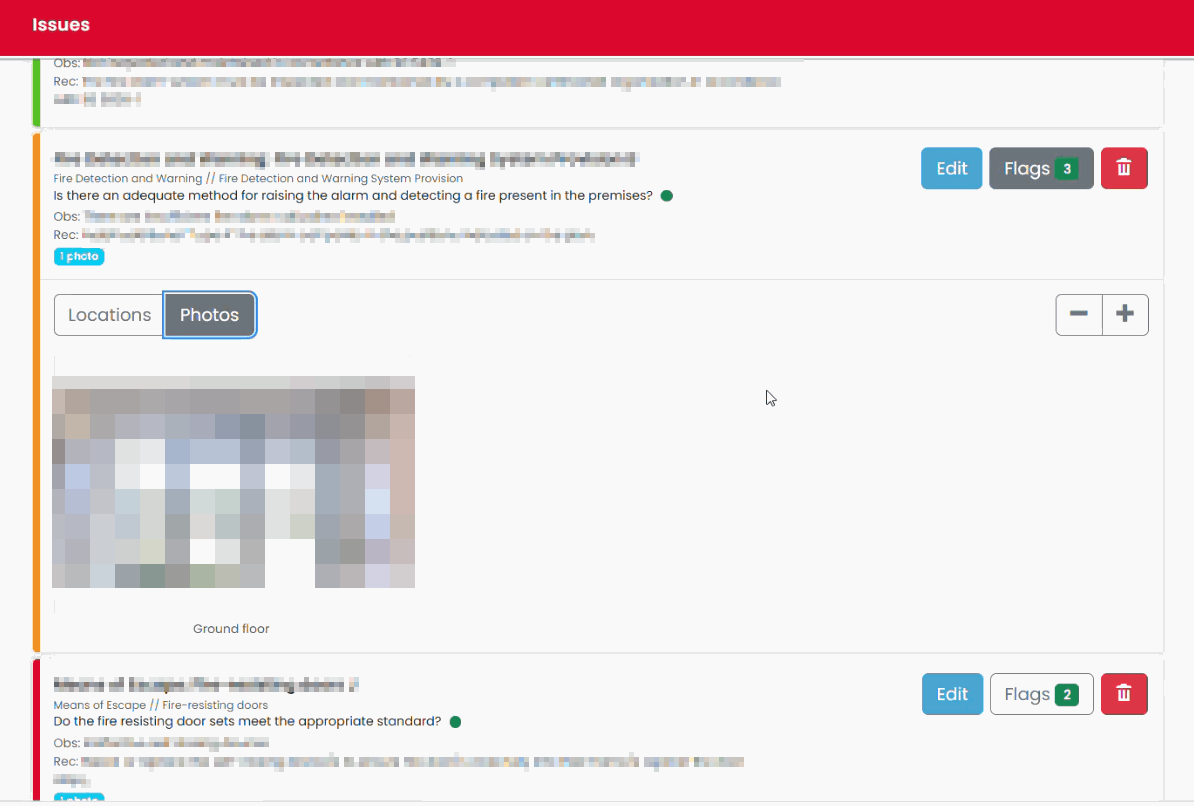
Photographs attached to issues provide supporting evidence.
Before sign-off:
- Confirm photographs have been attached where appropriate.
- Check photographs clearly support the finding.
- Remove or replace any incorrect images.
Reviewing Severity Ratings
Each issue should have an appropriate severity rating assigned.
Review severity ratings to ensure they accurately reflect the significance of the finding before the assessment is completed.
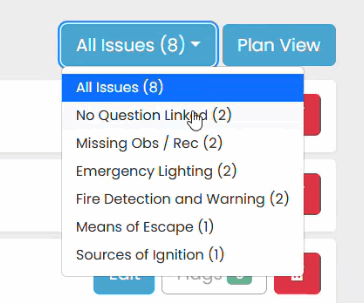
Checking Incomplete Items
Issues created as reminders or placeholders may not contain observations or recommendations.
Before sign-off:
- Review any unfinished issues.
- Complete the issue details if required.
- Remove issues that are no longer needed.
Best Practice
Before leaving site, use Issues View to review findings with the site representative where appropriate. This provides an opportunity to confirm observations and identify any outstanding items requiring clarification.
Was this article helpful?
That’s Great!
Thank you for your feedback
Sorry! We couldn't be helpful
Thank you for your feedback
Feedback sent
We appreciate your effort and will try to fix the article