Overview
Issues are used to record observations, non-conformities, recommendations and other findings identified during the assessment.
Issues can be raised from the Issues View and later linked to floor plans and locations where required. Issues form the basis of the final action plan and assessment findings.
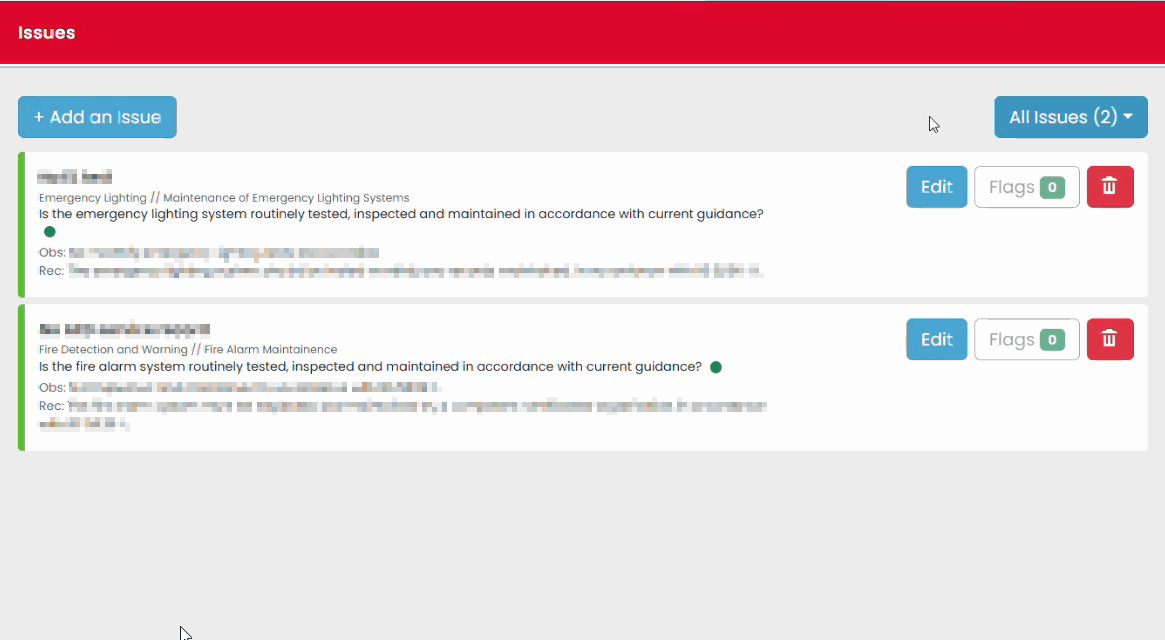
Opening Issues View
- Open the assessment.
- Select Issues View from the assessment overview screen.
- Review any existing issues.
- Select Add Issue to create a new issue.
Adding a New Issue
When creating an issue, you can enter a short description to help identify it quickly within the assessment.
Examples might include:
- Missing maintenance records
- Defective equipment
- Restricted means of escape
- No access to an area requiring inspection
The system will also generate descriptive information based on the selections you make later in the process.
Selecting a Question
After creating the issue:
- Select Select Question.
- Navigate to the relevant assessment section.
- Select the most appropriate question.
- Choose the relevant observation or recommendation.
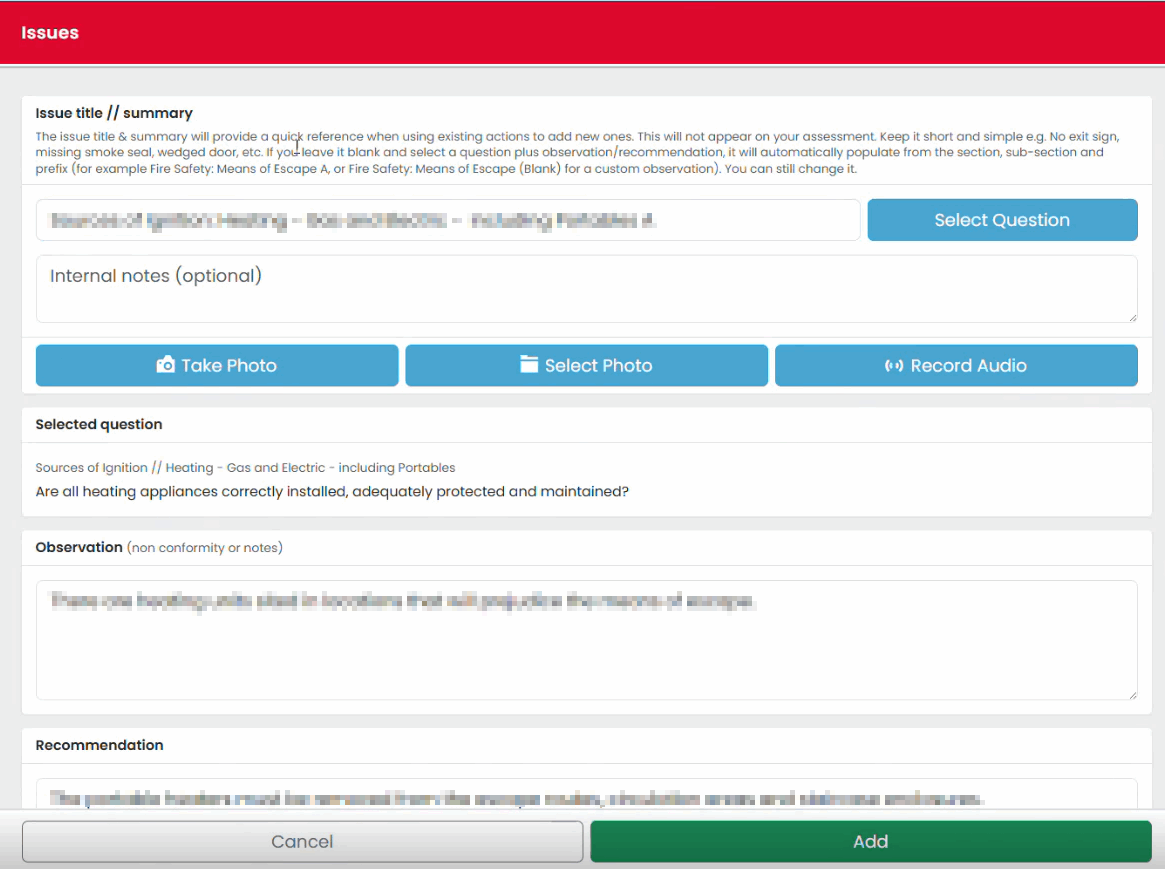
Reviewing the Observation
Once selected, the system displays:
- The selected question
- Observation text
- Recommendation text
Review the information and make amendments if required.
Completing Issue Details
For each issue:
- Confirm the location or subject area.
- Select the responsible party.
- Assign an appropriate severity rating.
- Review the details for accuracy.
- Save the issue.
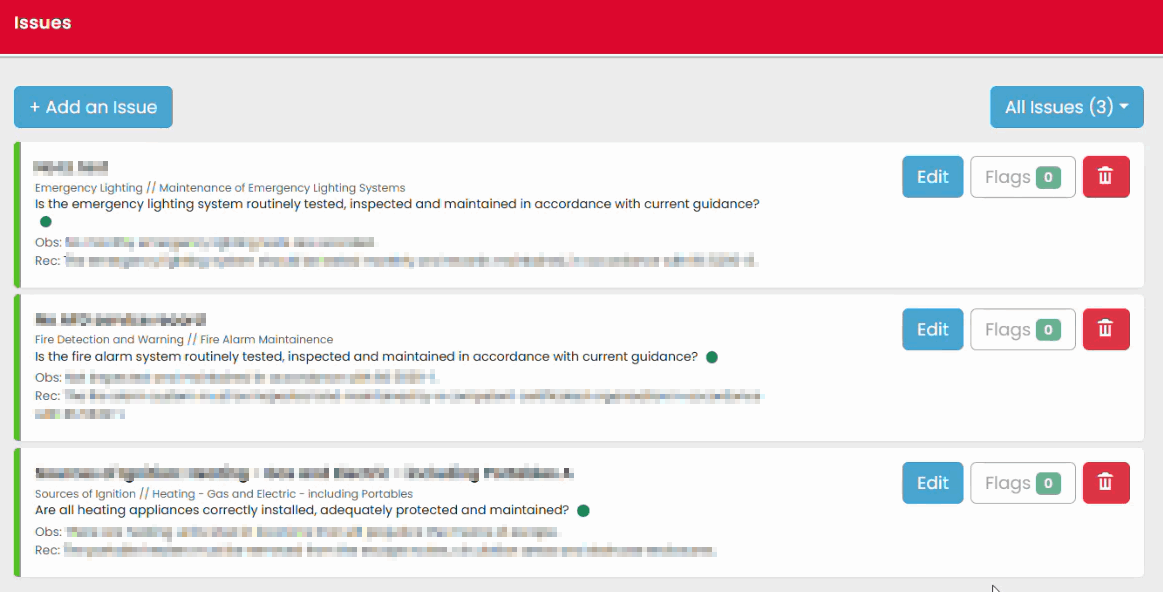
Editing Existing Issues
Existing issues can be reviewed and amended at any time before sign-off.
You can:
- Edit details
- Update severity ratings
- Change responsibility
- Remove issues that are no longer required.
Using Issues as Site Reminders
Issues can also be used as temporary reminders during an assessment.
For example:
- Areas requiring reinspection
- Follow-up measurements
- Areas awaiting access
These can later be converted into formal observations if necessary.
Was this article helpful?
That’s Great!
Thank you for your feedback
Sorry! We couldn't be helpful
Thank you for your feedback
Feedback sent
We appreciate your effort and will try to fix the article