Overview
Assessment Recorder includes a search feature that helps locate relevant observations and recommendations quickly.
This reduces the need to manually browse through assessment sections and helps assessors find appropriate standard wording more efficiently.
When to Use Search
Search can be helpful when:
- You know the topic but not the section.
- You need to locate a standard recommendation.
- You are working with unfamiliar areas of the assessment.
- You want to find similar observations already available within the system.
Searching for an Observation
- Create a new issue.
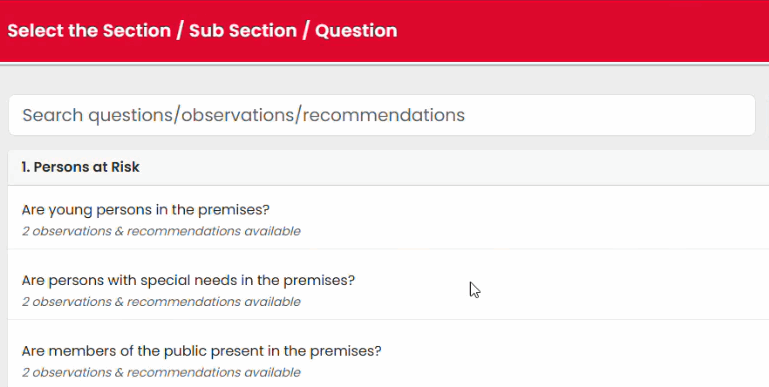
- Hit Select Question to enter the question selection screen.
- Enter a keyword into the search field.
- Review the results displayed.
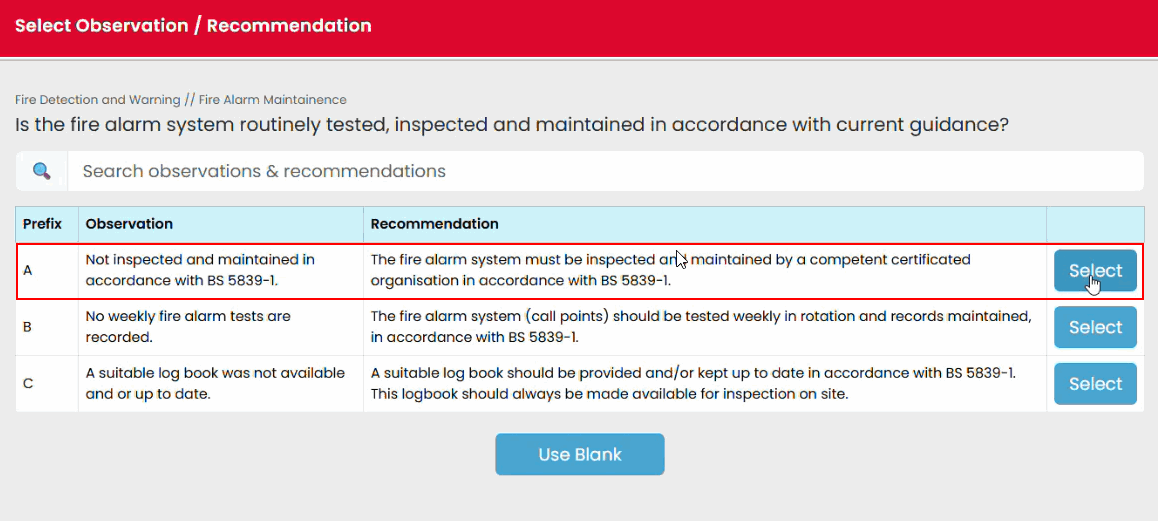
- Select the most appropriate option.
Understanding Search Results
Search results may include matches from:
- Assessment sections
- Observation text
- Recommendation text
- Associated keywords within the assessment content
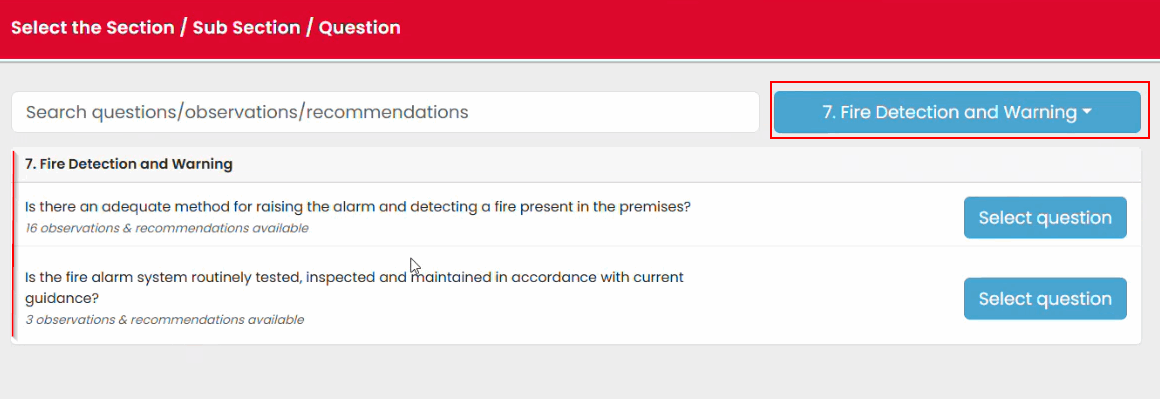
Results are filtered automatically as you type. You can also filter the section.
Selecting the Correct Result
Before saving an issue:
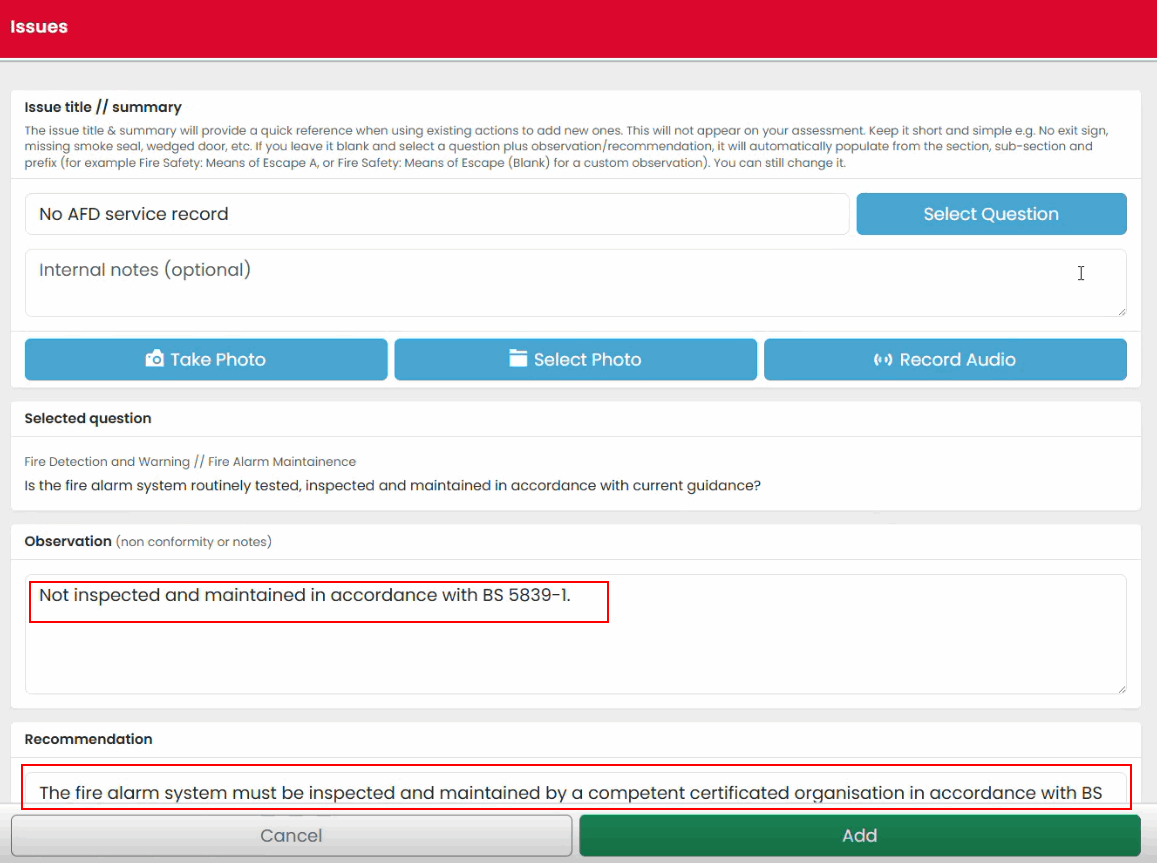
- Review the full observation text.
- Review the recommendation text.
- Confirm the observation accurately reflects the situation identified.
- Make any necessary amendments before saving.
Benefits of Using Search
Using the search feature can help:
- Reduce navigation time
- Improve consistency between assessments
- Locate relevant recommendations more quickly
- Reduce manual data entry
Was this article helpful?
That’s Great!
Thank you for your feedback
Sorry! We couldn't be helpful
Thank you for your feedback
Feedback sent
We appreciate your effort and will try to fix the article