Overview
Once an assessment has been reviewed, signed off and completed, it must be synchronised and returned to the system.
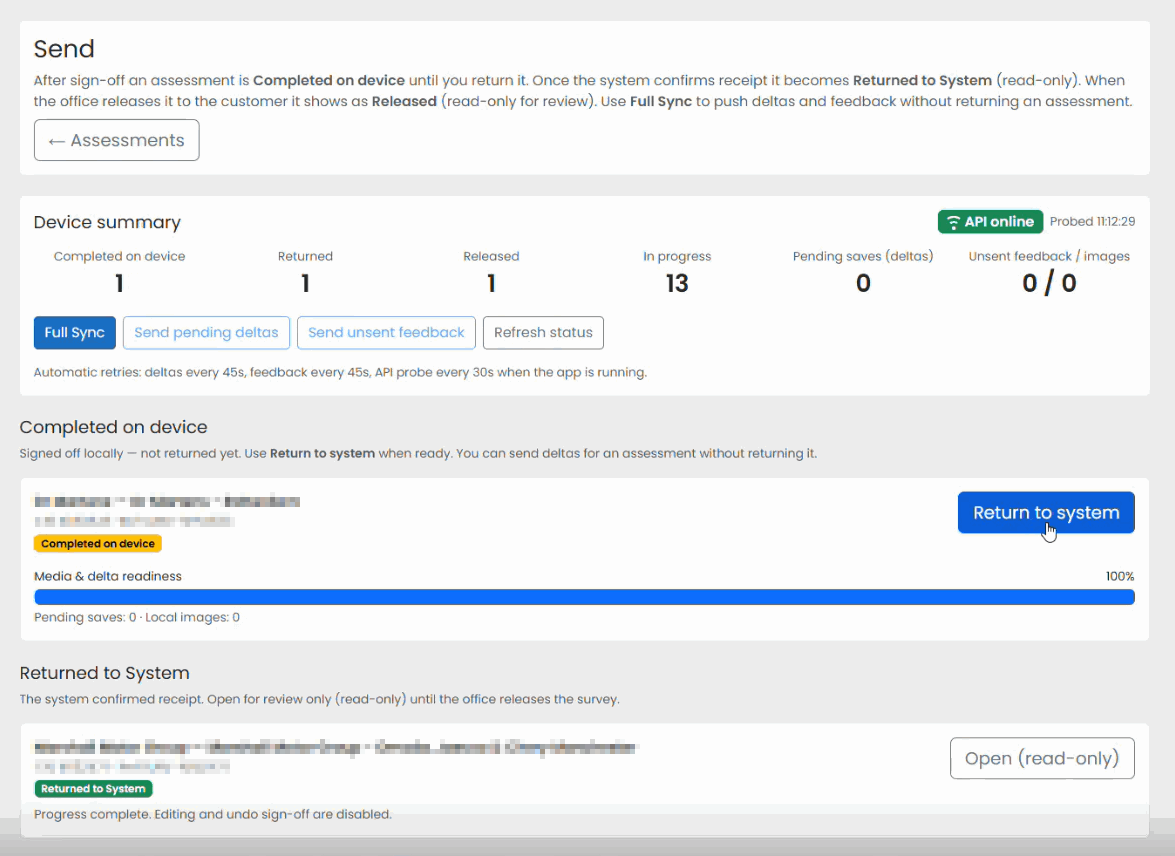
The Send section displays assessments that are in progress, completed, or ready to be returned. It is also used to perform synchronisation between the device and the central system.
Opening the Send Screen
- Open Assessment Recorder.
- From the home screen, select Send.
- Review the assessments displayed.
Understanding Assessment Status
The Send screen helps you identify the current status of your assessments.
Typical statuses include:
- Completed On Device
- Returned
- Released
- In Progress
This provides a clear view of which assessments are ready to be submitted.

Synchronising Assessments
Assessment Recorder synchronises data between your device and the system.
To perform a synchronisation:
- Open the Send screen.
- Select Full Sync (if available).
- Wait for synchronisation to complete.
Synchronisation can:
- Upload completed assessments.
- Upload progress made during assessments.
- Download newly assigned work.
- Update existing assessment information.
Returning a Completed Assessment
Before returning an assessment:
- All questions should be completed.
- Issues should be reviewed.
- Outstanding items should be resolved.
- The assessment should be signed off.
To return a completed assessment:
- Open the Send screen.
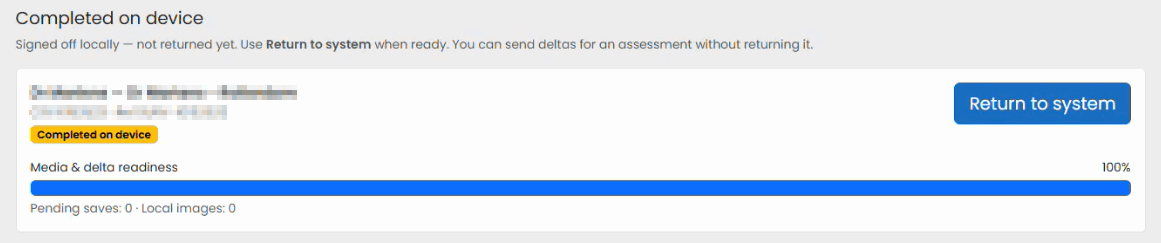
- Locate the completed assessment.
- Select Return to system to return or send the assessment.
- Allow the upload to complete.
Confirming Submission
After synchronisation:
- The assessment should no longer appear as an active assessment on the device.
- The status should indicate that the assessment has been returned successfully (Returned To System).

Best Practice
Before leaving site or before finishing for the day:
- Synchronise completed work regularly.
- Confirm assessments have been returned successfully.
- Review the status bar for successful synchronisation.
Regular synchronisation helps protect assessment data and ensures work is available for review and validation as soon as possible.
Was this article helpful?
That’s Great!
Thank you for your feedback
Sorry! We couldn't be helpful
Thank you for your feedback
Feedback sent
We appreciate your effort and will try to fix the article