The new Portal uses a role-based access model to control what users can see and do within the system. Selecting the correct role ensures users have access to the functionality they need while helping maintain security and data integrity.
User roles are managed from the Edit User screen within the Estate area of the Portal.
Estate > User & building access > (select Customer) > (select User) > Edit
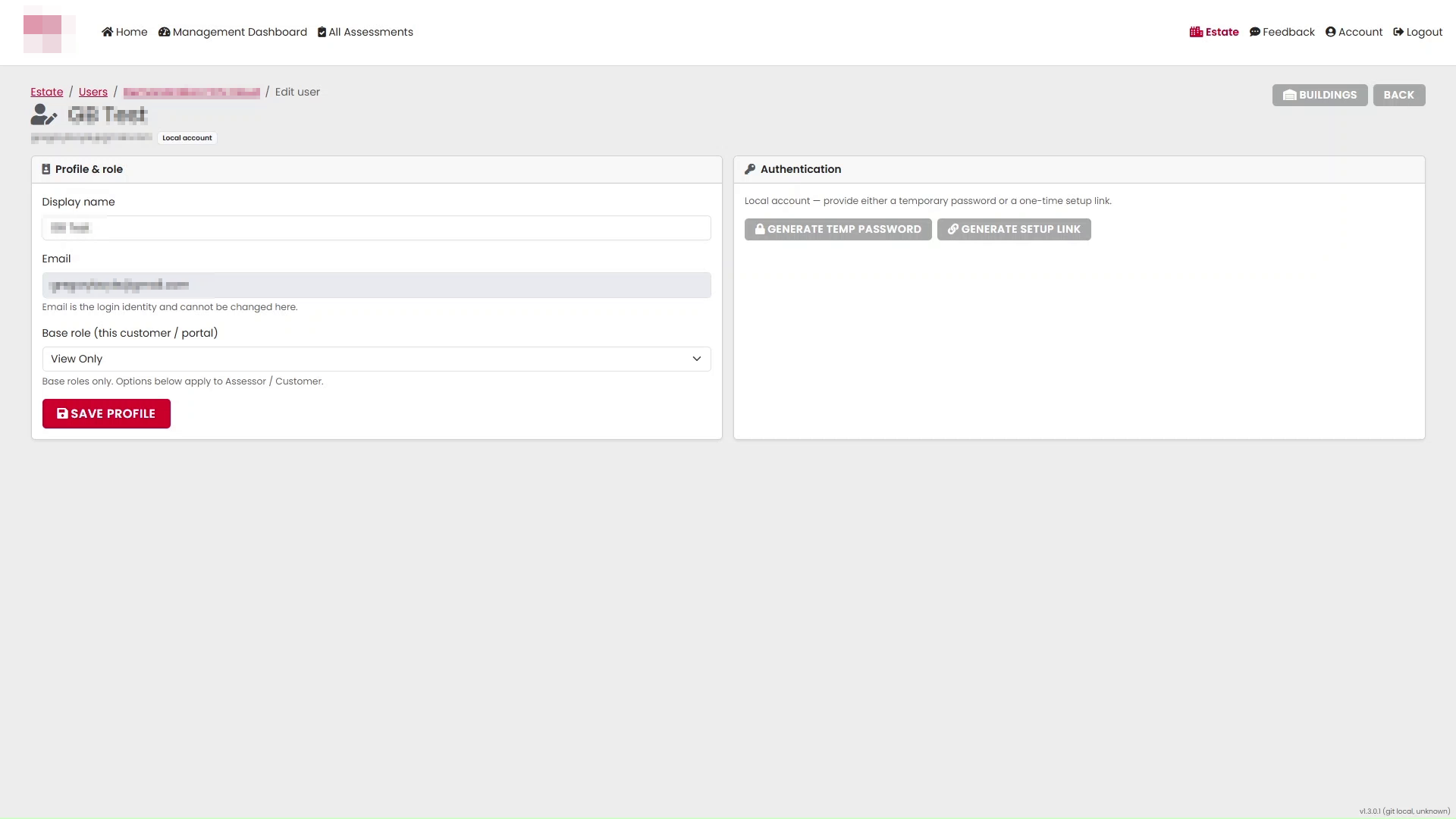
Role Overview
The Portal currently supports six user roles.
| Role | Permissions |
|---|---|
| View Only | View assessments |
| Standard | View assessments, add notes, upload photos, sign off actions |
| Assessor | Perform, view, edit and release assessments |
| Validator | View, audit and release assessments |
| Estate Manager | Manage users and building access |
| Admin | All of the above permissions |
Some roles are selected directly as a base role, while others are enabled using additional role options.
Accessing User Roles
To view or change a user's role, the available Base Roles are:
- View Only
- Standard
- Assessor
- Admin
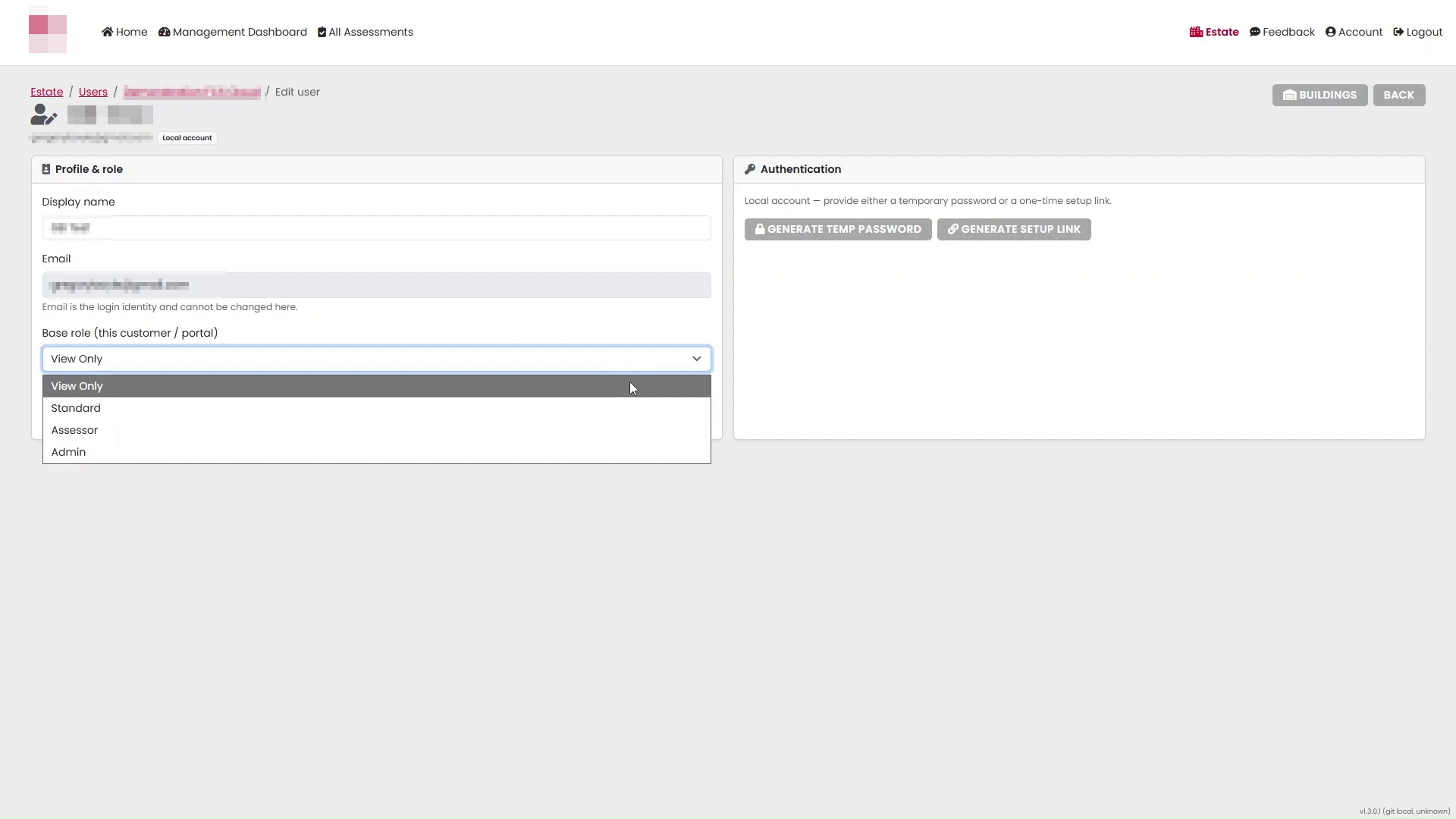
View Only Role
The View Only role is intended for users who need access to assessment information without making any changes.
Users with this role can:
- View assessments
Typical users include customers, stakeholders or managers who need visibility of assessment information but do not require editing or action management capabilities.
Standard Role
The Standard role is designed for users who need to interact with assessments and actions.
Users with this role can:
- View assessments
- Add notes
- Upload photos
- Sign off actions
This role is typically used by customer representatives who are responsible for monitoring and progressing actions arising from Fire Risk Assessments.
Estate Manager Role
The Estate Manager role is available to customer users through the Estate Manager option (Customer only).
To assign Estate Manager permissions:
- Select Standard as the Base Role.
- Enable the Estate Manager option (Customer only) checkbox.
- Select Save Profile.
Users with Estate Manager permissions can:
- Manage users
- Manage building access
Estate Managers are typically responsible for administering access to the Portal for their organisation.
Assessor Role
The Assessor role is intended for users who carry out Fire Risk Assessments.
Users with this role can:
- Perform assessments
- View assessments
- Edit assessments
- Release assessments
This role provides the functionality required to create, update and publish assessment records.
Validator Role
The Validator role is enabled using the Validator option (Assessor only).
To assign Validator permissions:
- Select Assessor as the Base Role.
- Enable the Validator option (Assessor only) checkbox.
- Select Save Profile.
Users with Validator permissions can:
- View assessments
- Audit assessments
- Release assessments
Validators are typically responsible for reviewing completed assessments and ensuring assessment information meets organisational standards before release.
Admin Role
The Admin role provides the highest level of access within the Portal.
To assign this role:
- Open the user profile.
- Select Admin from the Base role dropdown.
- Select Save Profile.
Users with the Admin role have access to:
- View Only permissions
- Standard permissions
- Assessor permissions
- Validator permissions
- Estate Manager permissions
Admin users have full access to all functionality available within the Portal.
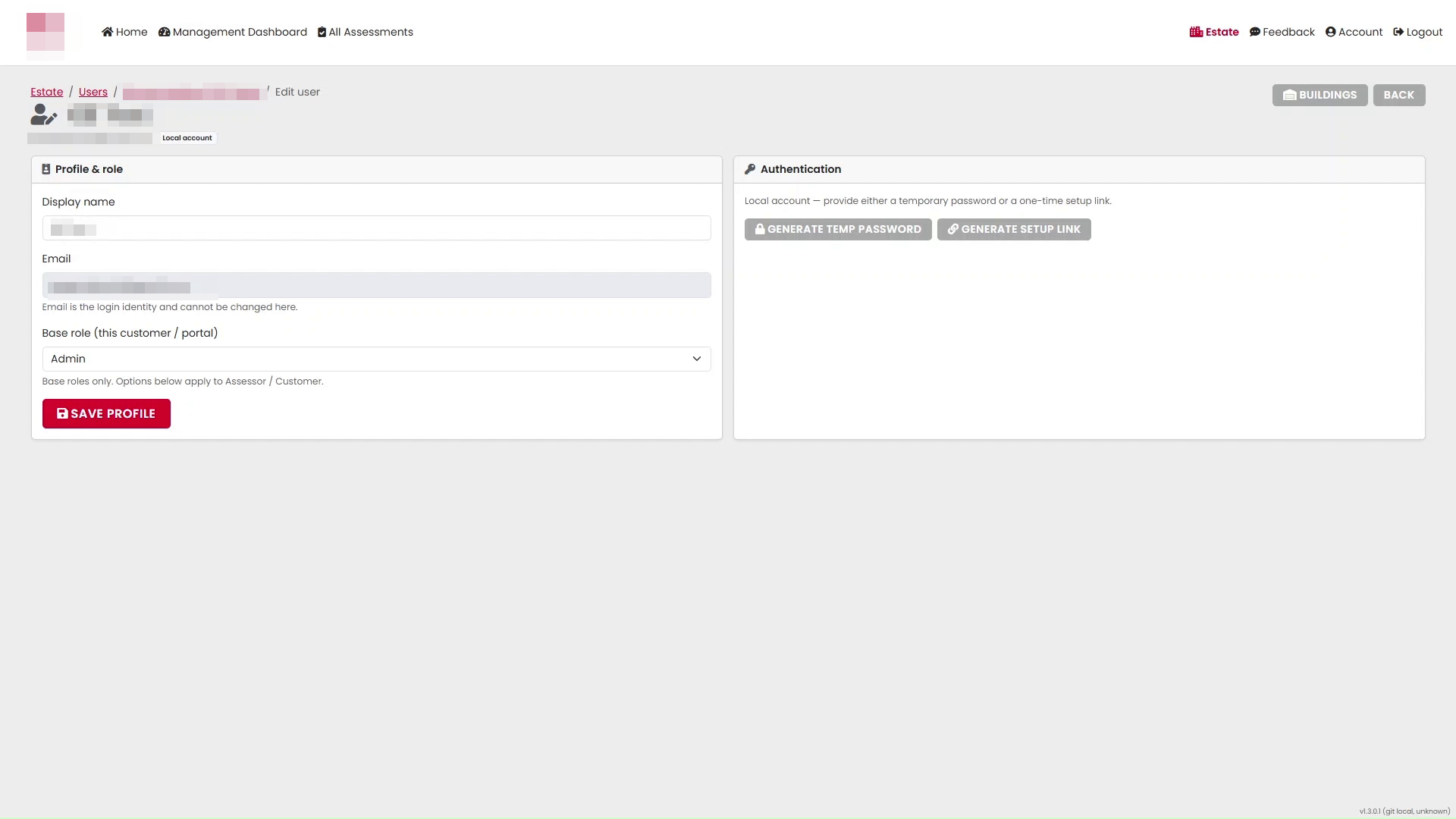
Authentication Management
The Authentication section allows administrators to assist users with access to the Portal.
Available options include:
- Generate Temporary Password
- Generate Setup Link
These options are available from the right-hand side of the Edit User screen.
Saving Changes
After making any changes to a user's role or permissions:
- Review the selected role and any additional options.
- Select Save Profile.
Changes will take effect once the user profile has been saved successfully.
Quick Role Selection Guide
| If the user needs to... | Assign |
|---|---|
| Only view assessments | View Only |
| View assessments and manage actions | Standard |
| Manage users and building access | Standard + Estate Manager |
| Complete and release assessments | Assessor |
| Audit and approve assessments | Assessor + Validator |
| Access all Portal functionality | Admin |
This role structure allows organisations to provide users with the appropriate level of access while ensuring responsibilities are clearly separated within the Portal.
Was this article helpful?
That’s Great!
Thank you for your feedback
Sorry! We couldn't be helpful
Thank you for your feedback
Feedback sent
We appreciate your effort and will try to fix the article