If you encounter an issue resulting in a blank page when trying to access the Assessor Desk, or any other part of the New Compliance Audit system, you may wish to try disabling your Ad Blocker on the page.
You can do this by:
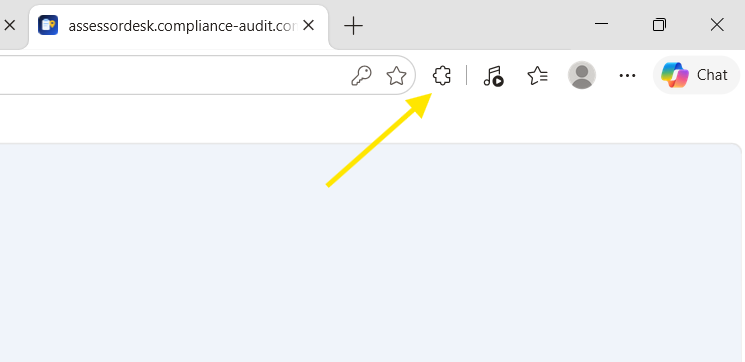
1. Navigate to the Assessor Desk page and look in the top right corner for the puzzle icon and click it.
2. Disable "Allow extensions on assessordesk.compliance-audit.com"
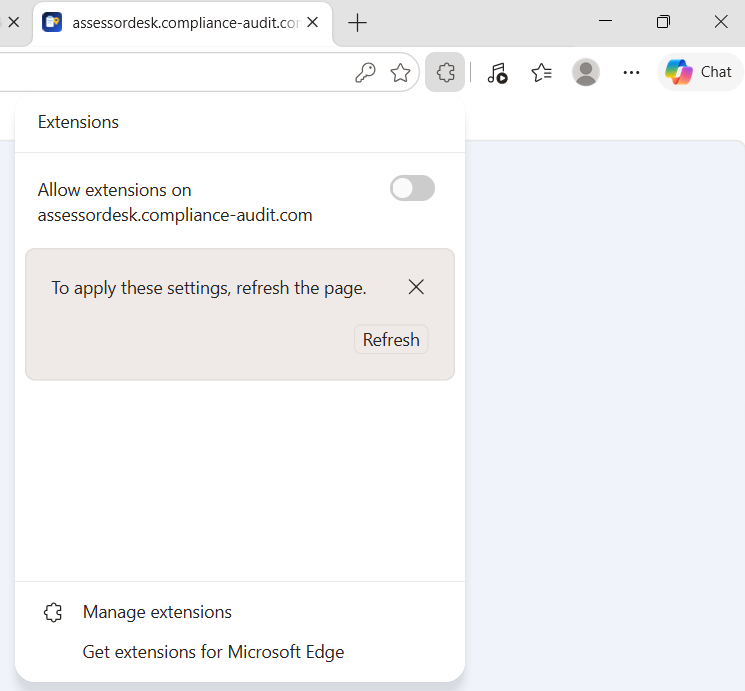
3. Refresh the page - it should now begin to load properly.
Was this article helpful?
That’s Great!
Thank you for your feedback
Sorry! We couldn't be helpful
Thank you for your feedback
Feedback sent
We appreciate your effort and will try to fix the article